
October 22, 2026 · By Krishna Shroff, Founder and CEO, Unleash Tech Worx
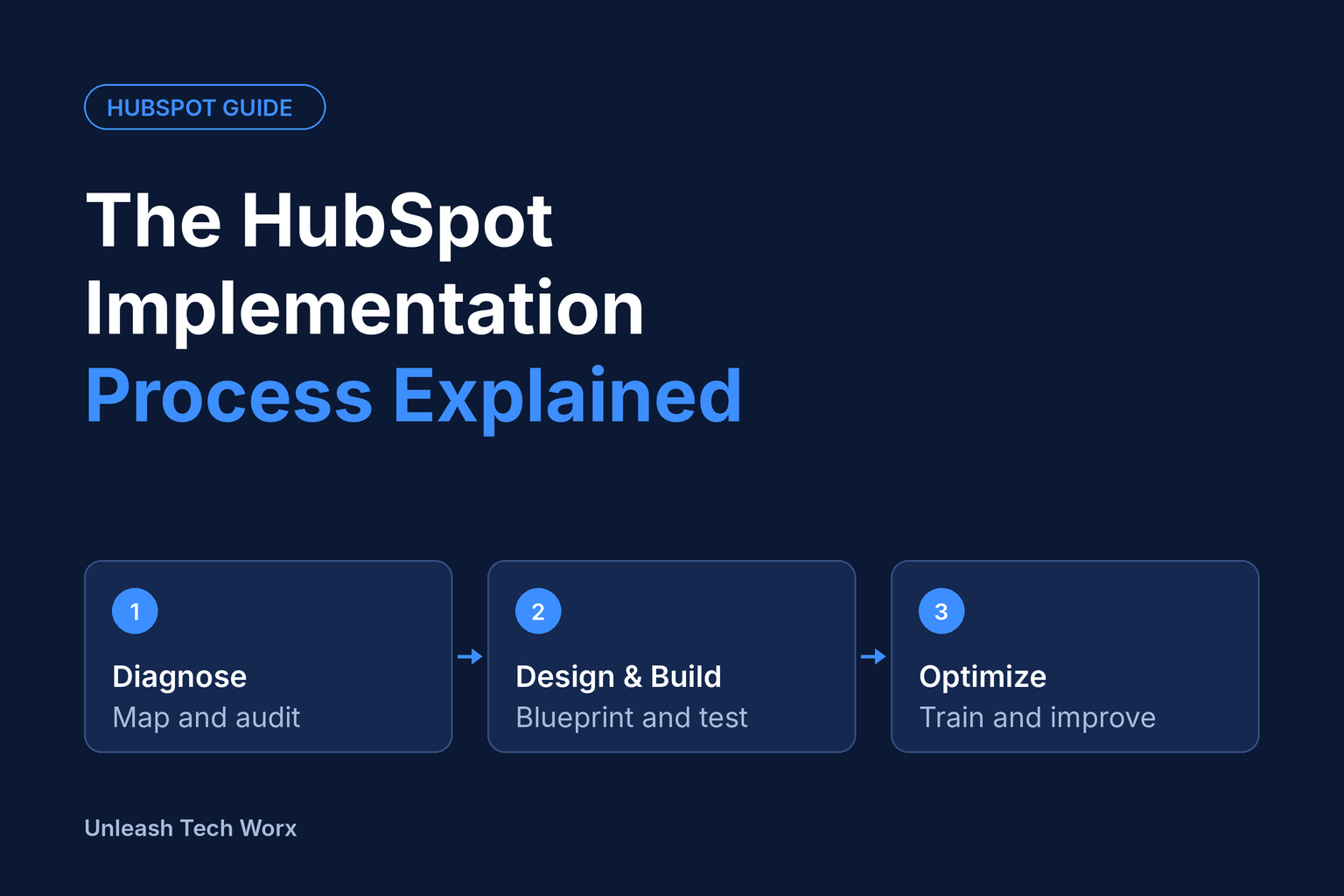
A structured HubSpot implementation runs in three stages. Diagnose: document the sales process, audit existing data and tools, and agree on success metrics. Design & Build: create a blueprint, configure objects, pipelines and automation in a test environment, and test before launch. Optimize: train teams by role, track adoption and improve the portal monthly.
Why a defined process matters
HubSpot implementations can disappoint when configuration starts before key decisions are agreed: success measures remain unclear, source data is migrated without cleaning, changes go live untested, and training does not cover daily routines.
A clear process addresses these risks in order. Diagnose settles the decisions, Design & Build includes controlled testing, and Optimize supports adoption. This guide explains each stage, the deliverables to agree with your partner, and the factors that shape your schedule.
The 3 stages at a glance
HubSpot implementation · 3 stages
Each stage ends with something you can hold the partner to: an agreed scope, a tested portal, then a portal your teams actually use.
Stage 1: Diagnose, what happens and what you receive
Diagnose establishes what you are building and why before configuration begins. Skipping discovery can carry existing process problems into the new portal and make adoption harder.
What happens
- Process mapping. Your partner documents how leads, deals and customers actually move through your business today, including the workarounds and spreadsheets nobody wrote down.
- Data and tool audit. Existing CRM records, spreadsheets, email tools and integrations are reviewed for duplicates, missing fields, ownership gaps and anything that should not be migrated.
- Stakeholder interviews. Sales, marketing, service and operations each describe what they need to see in HubSpot to do their job.
- Success metrics. You agree on a short list of measurable outcomes, such as lead-to-opportunity rate, sales cycle length, response time or reporting accuracy, so the project has a scoreboard.
What you receive
- A documented current-state process and a gap analysis
- A data quality report with a clean-up and migration recommendation
- A prioritised scope: what ships at launch, what waits for a later phase
- Agreed success metrics, owners and a project plan
A useful test: by the end of Diagnose, anyone on the leadership team should be able to explain in one sentence what the new portal will change and how you will know it worked.
Stage 2: Design & Build, blueprint, sandbox, testing
Design & Build turns the Diagnose findings into a working portal. The order matters: design first, build second, test before anything touches live data.
Design: the blueprint
The blueprint is a written specification of how HubSpot will be set up. It covers:
- Objects and properties: what you track on contacts, companies, deals and any custom objects, and who owns each field
- Pipelines and stages: entry and exit criteria for every stage, so reps move deals consistently
- Lifecycle stages, lead status and lead scoring rules
- Automation: workflows, routing, task creation and notifications
- Integrations, reporting and dashboards, user roles and permissions
You review and approve the blueprint before the build starts. This is the cheapest point in the project to change your mind.
Build: configure in a test environment first
A HubSpot sandbox is a separate environment for testing supported assets and configurations. It is not a complete copy of your production account. Only eligible changes can be deployed to production; unsupported items need a separate implementation plan. Integrations are not connected automatically and should use appropriate test accounts.
Edition requirement: HubSpot standard sandboxes require an Enterprise subscription. If your account is on Starter or Professional, a good partner will use a controlled build plan instead, such as building during a low-traffic window, using draft or inactive states for workflows, and testing on a small group of records.
Test before launch
Testing covers more than checking that a workflow fires. A solid test plan includes:
- Data migration checks: record counts, field mapping and association accuracy
- Workflow tests with sample records, including edge cases and records that should be excluded
- Permission checks for each user role
- User acceptance testing, where the people who will use HubSpot run real scenarios and sign off
Launch happens only once the agreed acceptance criteria are met, with a cut-over plan and a short freeze window for the final data sync.
Stage 3: Optimize, role-based training and adoption tracking
Go-live begins the adoption phase. Even a technically sound build needs role-based training, clear ownership and follow-up reviews to become part of daily work.
Role-based training
Role-based training connects HubSpot features to daily tasks. Cover only the tools included in your subscription and relevant to each team:
- Sales reps: logging activity, working the deal board, sequences, meetings and quotes
- Marketing: forms, lists, email, campaigns and attribution reporting
- Service: tickets, the shared inbox, knowledge base and SLAs
- Managers and leadership: dashboards, forecasting and pipeline review
- Admins: properties, permissions, workflow health and data hygiene
Short, recorded sessions and a one-page quick guide per role mean new hires get the same onboarding as the launch team.
Adoption tracking
Agree on a few adoption signals in the Diagnose stage, then review them weekly for the first 90 days. Useful ones include:
- Percentage of deals with a next step and close date
- Activity logged per rep per week
- Records created outside HubSpot, such as in spreadsheets
- Dashboard views by managers
- Data completeness on key properties
Monthly improvement
From there, run a monthly review: look at the adoption data, collect user feedback, fix friction in workflows and properties, and decide what moves from the later-phase list into the build. Small, regular changes keep the portal aligned with how the business actually sells, instead of drifting back into the workarounds you started with.
Timeline considerations
Agree on a project-specific schedule after discovery. The number of hubs, migration complexity, integration scope, data quality and stakeholder availability all affect delivery. Treat any estimated schedule as a planning assumption, not a delivery guarantee.
Allow time for process decisions, data cleaning, acceptance testing and training. Separate the target launch date from the ongoing Optimize phase, which continues after go-live.
7 questions to ask any HubSpot partner
Use these on your shortlist calls. The answers show whether a partner runs a real process or just configures software.
- What will you do before you build anything? Look for a defined discovery stage with named deliverables, not a jump straight to configuration.
- What exactly do I receive at the end of each stage? Ask for sample documents: a blueprint, a data audit, a test plan.
- How will you test before launch, and who signs off? The right answer includes user acceptance testing with your own team.
- Will you use a sandbox, and does my HubSpot edition support one? Sandboxes need an Enterprise subscription, so a partner should explain what they will do if you do not have one.
- How do you handle data migration and clean-up? Ask who owns field mapping, deduplication and the final reconciliation.
- How will you train my team, and how will you measure adoption? Role-based training and named adoption metrics are the markers of a partner who cares about outcomes.
- What happens after go-live? Ask about support windows, monthly optimisation reviews and who to call when a workflow breaks.
A partner who answers these clearly and in writing is far more likely to deliver a portal your team keeps using.
Where to start
Identify your revenue operations gaps before configuring HubSpot. Unleash Tech Worx’s RevOps Maturity Assessment highlights strengths and priorities to guide your implementation.
Want this handled, not just explained?